

The best Cursor alternatives replace the part of Cursor you use everyday. A terminal agent will not replace Tab completion. A cheaper subscription will not necessarily reduce the cost of running agents. Another editor may feel familiar while bringing the same usage problems you wanted to escape.
We would shortlist Devin Desktop for a similar editing environment, GitHub Copilot for an existing IDE and GitHub workflow, Claude Code for delegated engineering tasks, and Cline for control over model providers. Gemini Code Assist Enterprise deserves a look when private repository context is the missing piece.
In this guide, we compare what each tool replaces, what you lose, and which switching reasons justify the disruption.
Devin Desktop is our closest alternative if you want another editor combining autocomplete and agents. GitHub Copilot makes more sense if you want to keep your IDE. Claude Code suits developers delegating larger tasks, while Cline offers more control over models and providers. The right choice depends on what Cursor is failing to do for you.
| Tool | Why Consider It Instead of Cursor? | What You Give Up or Take On |
| Devin Desktop | A similar combination of autocomplete, editing and agents | Another editor migration and agent quotas to monitor |
| GitHub Copilot | Assistance inside your current IDE and GitHub workflow | Agent costs remain variable; complex changes need supervision |
| Claude Code | Defined repository tasks, refactors and migrations | Predictive autocomplete |
| Gemini Code Assist Enterprise | Suggestions informed by indexed private repositories | Enterprise licensing and context configuration |
| Cline | Open-source agent with provider choice | API management, variable inference costs and no inline autocomplete |
Before comparing Cursor competitors, identify the interruption you want to remove.
If the problem is cost, separate completions from agent work. Someone using Tab all day has a different budget from someone running several agents. A lower seat price can still produce a larger usage bill.
If the problem is the editor, choose a tool that fits your existing setup. Replacing Cursor with another standalone editor may recreate the migration you disliked.
If the problem is incorrect changes, inspect the task boundaries first. Our Cursor review warns that a poorly scoped instruction can spread a bad assumption across a repository. Clear requirements and tests remain necessary with every alternative here.

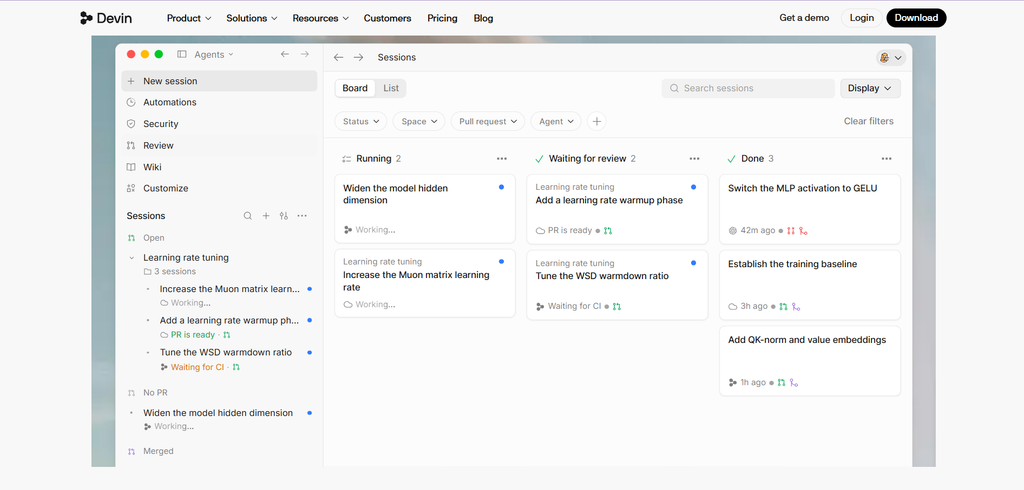
Devin Desktop, formerly Windsurf and Codeium, is the most direct option here for developers who want autocomplete, inline edits and multi-file agents in one environment. It also brings local and cloud sessions into the same platform.
That matters if your objection is to Cursor’s particular workflow rather than the idea of an AI-first editor. You can keep the habit of typing, accepting suggestions and delegating larger changes without splitting those activities between several products.
Our Devin Desktop review highlights its free autocomplete, but also criticizes unpublished numerical agent quotas. Model choice, context size and reasoning effort affect consumption. If you are leaving Cursor because you cannot forecast agent spending, this is not an automatic solution.
There is another distinction worth checking: the standalone environment and older plugins are not equivalent. Several legacy editor plugins receive maintenance rather than new features. Do not assume an old Codeium extension provides the complete current platform.
Choose it if: you want another integrated editor and can evaluate its quotas against real work.
Skip it if: your main requirement is a predictable published allowance for agent tasks.
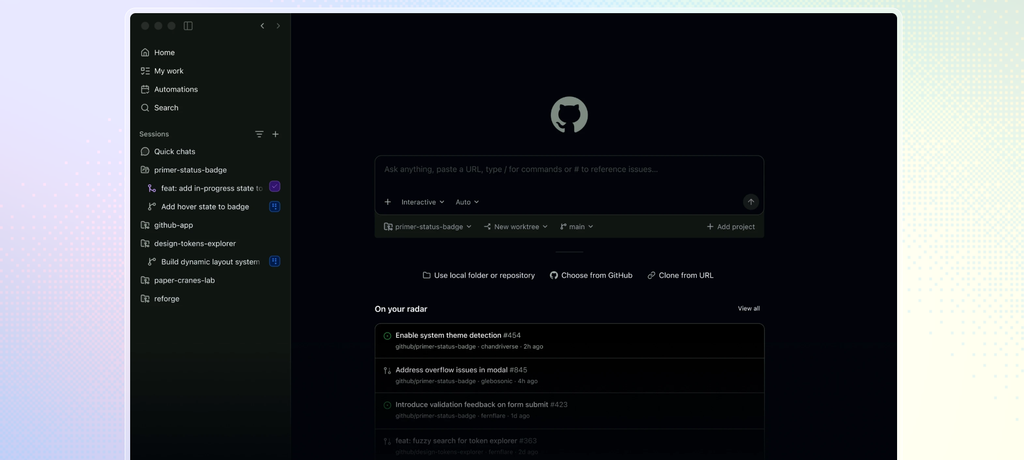
Copilot is the stronger candidate when adopting Cursor means leaving an editor you preferred. It adds autocomplete, chat and agents to supported IDEs, with additional workflows through GitHub and the command line.
Its GitHub connection changes the handoff. An issue can become an agent task, then a pull request that developers review through their normal process. That is useful when the work is already described and discussed in GitHub rather than in a private editor conversation.
Copilot Pro starts at $10 per month. Paid completions and next-edit suggestions do not consume AI Credits, but chat, agents, CLI use and code review do. That makes the price attractive for frequent completion users, not a promise of unlimited agent work.
Our GitHub Copilot review also warns about architectural drift on complex projects and noisy automated review comments. A tool that opens the pull request does not necessarily produce a patch that deserves merging.
Choose it if: you want dependable everyday assistance, existing-IDE support and GitHub-based review.
Skip it if: you expect a low subscription price to cover heavy autonomous development without monitoring usage.
Our Cursor vs Copilot comparison examines that workflow difference in more detail.
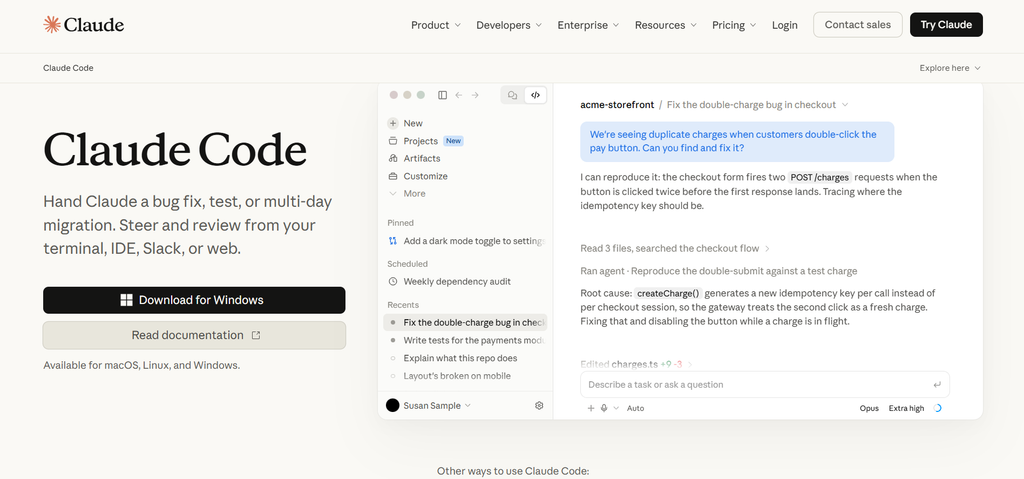
Claude Code replaces the act of supervising a defined engineering task through Cursor’s agent. It can investigate a repository, plan changes, edit several files, run commands and check tests. Terminal, supported IDE, desktop and web interfaces give developers several ways to oversee the work.
Consider a dependency migration. The difficult part is finding old calls, preserving existing behaviour and checking affected tests. That is the kind of connected task our Claude Code review highlights, rather than simply generating a new function.
Claude Code is our choice when the work is a defined refactor, migration or debugging investigation that you want to delegate. Cursor remains a better fit when you want predictive suggestions and agents together while actively editing. Claude Code does not replace Cursor Tab, even when its IDE interface shows code changes visually.
Our Claude Code review emphasizes clear instructions, permissions and final diff review. Long sessions can lose earlier details when context is compacted. Larger allowances also do not make long agent sessions unlimited.
Choose it if: your main frustration is managing substantial tasks through an editor-centered workflow.
Skip it if: autocomplete is the feature you would miss immediately after leaving Cursor.
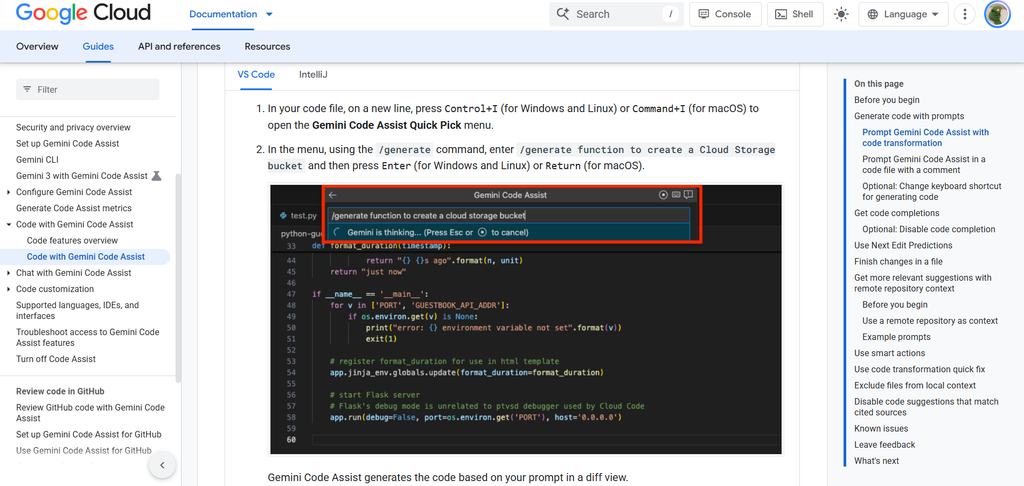
Gemini Code Assist Enterprise is worth considering when suggestions need to reflect private libraries and company conventions. Its code customization can use indexed organizational repositories to inform assistance inside the IDE.
For example, generating a fresh authentication helper is unhelpful if the company already maintains an approved one. Repository customization gives the assistant a route to those internal patterns. This is a different buying reason from wanting a larger advertised context window.
Our Gemini Code Assist review makes the limitation clear: relevant context needs direction, and outdated indexed code can reinforce outdated suggestions. A larger pool of source material does not guarantee that the right files guide the answer.
Private repository customization is an Enterprise feature. The licensing and setup are difficult to justify if you only need occasional coding help on personal projects. We would not call it the universal winner for large codebases; its specific advantage is managed access to organizational code.
Choose it if: your team uses Google Cloud and needs assistance grounded in approved private repositories.
Skip it if: you want a free personal replacement or cannot maintain the context configuration.
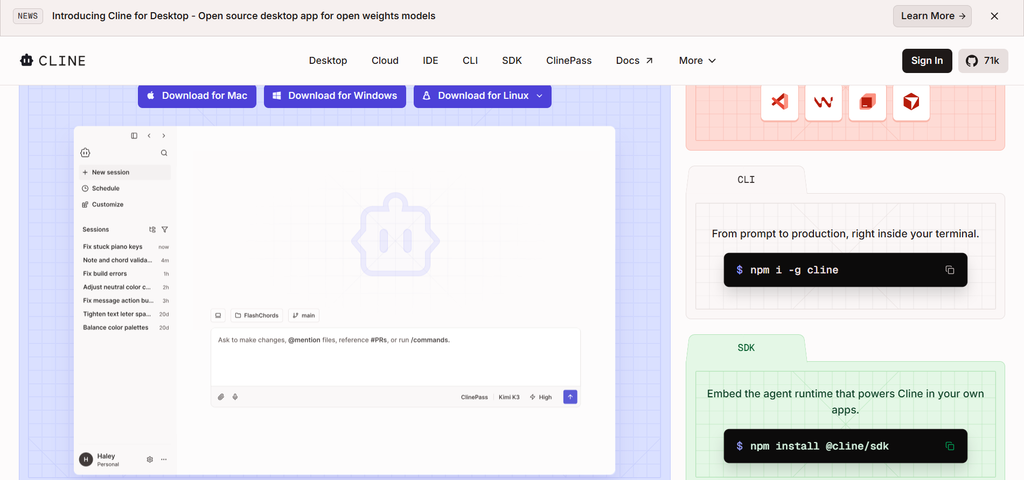
Cline is our pick for developers who want an open-source agent and control over model providers. Its core software is free, and it can work through files, commands and edits using supported providers. It replaces Cursor’s agent workflow rather than its complete editor experience. You still need a separate solution for predictive autocomplete.
With Cline, choosing the model is part of operating the tool. You can select a provider for its pricing, capabilities or deployment requirements instead of relying on one editor’s bundled access.
The trade-off is administration. API keys, provider limits and token spending become your responsibility. A failed attempt can still consume inference, and a long investigation can cost more than expected.
Our Cline review distinguishes its free core from paid inference and optional ClinePass access. An open-source client running locally does not mean a remotely hosted model keeps your code on the machine.
Choose it if: provider flexibility and configurable agent workflows justify the extra setup.
Skip it if: you want one subscription, built-in defaults and almost no billing management.
Yes. Devin Desktop Free includes unlimited Tab completions and inline edits, with limited agent access. Copilot Free provides limited coding assistance. Cline’s core agent is free, but model inference may still cost money. Compare the feature you need and the allowance behind it before treating any option as a free replacement.
| Option | Most Useful For | Cost Detail to Check |
| Devin Desktop Free | Frequent autocomplete | Agent quota and available models |
| GitHub Copilot Free | Occasional assistance in a supported IDE | Completion and advanced-use limits |
| GitHub Copilot Pro | Daily autocomplete with a lower paid entry point | Agent use beyond included AI Credits |
| Cline | Configurable agent work | Provider charges or optional subscription limits |
When researching “cursor alternatives free,” distinguish a free installation from free ongoing model use. They are different offers.
Stay with Cursor if its combination of Tab, inline edits, repository search and agents already fits your day. Moving to Claude Code or Cline could mean adding another completion tool. Moving to another editor means rebuilding shortcuts, settings and habits.
Cursor is for experienced developers working in structured repositories with tests and clear conventions. It does not recommend accepting generated code without understanding it.
Before switching, try narrower tasks and review which models consume your allowance. If that fixes the problem, a new subscription may add more work than it removes.
| Your Reason for Leaving | Alternative to Try | Check Before Moving |
| You want a similar editor | Devin Desktop | Quotas, migration and plugin support |
| You want your existing IDE | GitHub Copilot | Features supported in that specific IDE |
| You want to delegate complex changes | Claude Code | Permissions, usage and missing autocomplete |
| Suggestions ignore internal libraries | Gemini Code Assist Enterprise | Repository indexing and licensing |
| You want model-provider control | Cline | Inference costs and configuration effort |
The best alternatives to Cursor AI solve a recurring problem without creating a larger one. Try a normal coding session and one well-defined repository change. Judge the review effort as well as the speed of generation.
Compare coding tools on AI Suggestions to check their reviews, features, scores and pricing side by side.
Yes. GitHub Copilot and Cline both offer VS Code-based workflows. Copilot is the closer fit for developers who want continuous autocomplete alongside assistance. Cline focuses on agent tasks. Check whether the feature prompting your switch is supported in the extension, not just elsewhere in the product.
You can reuse the underlying instructions, but do not assume every tool reads Cursor’s rule files or interprets them identically. Transfer test commands, naming conventions and protected-file instructions into the new tool’s supported format. Run a small task to verify that the agent follows them before assigning a broad refactor.
Only when the second tool fills a clear gap. Keeping Cursor for Tab and using another agent for larger tasks can make sense. It also adds subscriptions and separate usage limits. Keep tasks on separate branches where appropriate, and review overlapping changes before integrating them.