
GitHub Copilot can save you hundreds of small actions while you code. Claude Code can take one awkward job- trace the bug, change six files, run the tests and explain what broke- off your plate.
That sounds like a clean choice between an IDE assistant and a terminal agent. It is not anymore. Copilot now has local and cloud agents, a terminal CLI and several model providers. Claude Code works in IDEs, on the web and through a desktop app as well as the terminal.
This Claude Code vs Copilot comparison focuses on the remaining difference: Copilot assists you throughout the development cycle, while Claude Code is designed to hand off defined engineering tasks. We compare autocomplete, repository work, model access, GitHub integration, controls and the limits hidden behind their monthly prices.
Claude Code is better when you want to delegate a difficult task that crosses several files, requires terminal work or needs careful planning before code changes. GitHub Copilot is better for continuous help while you type, quick edits and work managed through GitHub. Neither wins every part of the development day.
Choose Claude Code for repository investigation, migrations, complex debugging and controlled agent work. Choose GitHub Copilot for autocomplete, IDE assistance, model choice and GitHub-native collaboration.
We would not automatically pay for both. Use both only if Copilot’s daily completions and Claude Code’s larger delegated jobs each save enough time to justify separate subscriptions.
If you want autocomplete and multi-file agents together in an AI-first editor, our Cursor review covers that alternative and the oversight it still requires.
The old “terminal versus IDE” description is no longer enough. Both products now run agents locally and in the cloud, but they still feel different in daily use.
| Category | Claude Code | GitHub Copilot |
| Core strength | Delegating complete engineering tasks | Continuous help across coding and review |
| Main surfaces | Terminal, IDE, desktop and web | IDE, CLI, GitHub and cloud |
| Inline autocomplete | No | Yes |
| Local agent | Yes | Yes |
| Cloud agent | Yes | Yes |
| Model choice | Claude models | Models from several providers |
| GitHub work | Git commands and GitHub Actions | Native issues, pull requests and reviews |
| Starting paid price | $20/month | $10/month |
| Main limitation | No predictive autocomplete | Heavy agent use consumes AI credits |
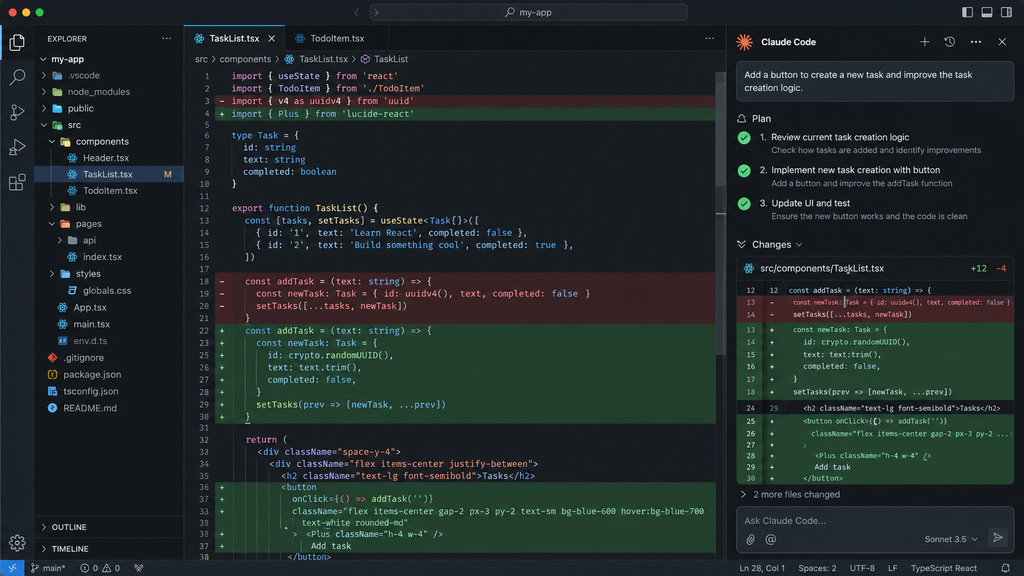
Claude Code began as a terminal agent, and that remains its clearest workflow. Give it an outcome and it can inspect the repository, search for relevant files, edit code, run commands and check the result.
It is no longer limited to a command line. Anthropic offers a native VS Code extension, JetBrains support, cloud sessions and a desktop app with file editing, diff review and parallel sessions. The important point is not where Claude Code appears. It is that every interface is built around assigning and supervising work.
Subagents can investigate separate parts of a repository without filling the main conversation with every file they read. Hooks can run checks at specific points, while MCP connections give the agent access to approved outside tools.
For another agent that can inspect, edit, and test a repository across local and cloud workflows, read our Codex review.
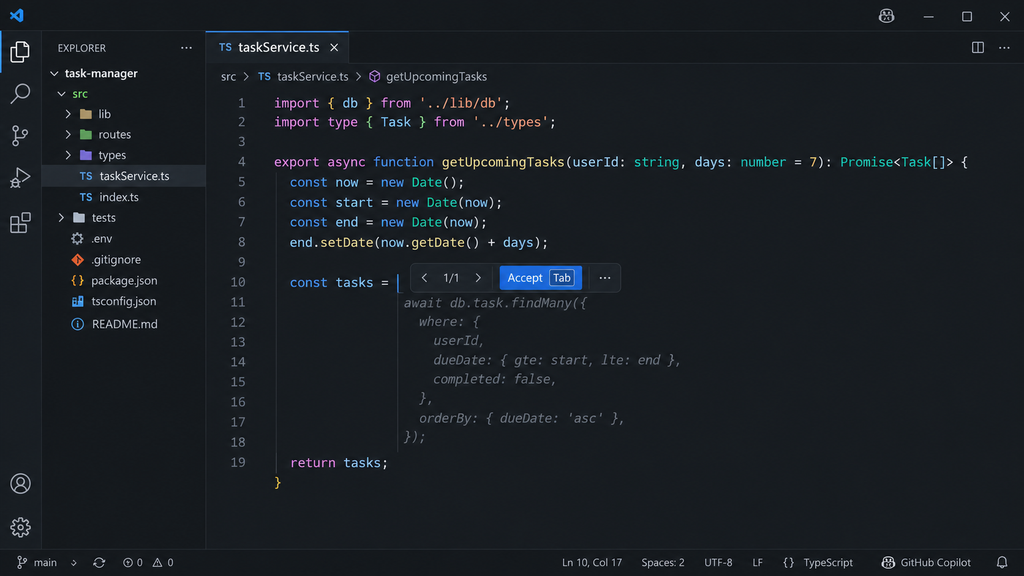
Copilot starts closer to the developer. It suggests code as you type, answers questions in the IDE, and can take over larger tasks through agent mode.
It now goes beyond the editor. Copilot CLI brings an agent to the terminal, while the cloud agent can work asynchronously and return a pull request. The difference is that these features sit inside a wider assistance platform rather than one delegation-first tool.
Inline completion remains Copilot’s simplest advantage. It predicts the next line, block or edit from the code around the cursor. You can accept the suggestion without opening a chat or describing the task.
That makes Copilot useful for repetitive tests, common framework patterns, type definitions and code you already know how to write. It removes typing without taking control of the wider job.
Paid Copilot plans include unlimited code completions and next-edit suggestions. These do not consume GitHub AI credits.
No. Claude Code can edit code through its IDE extension and show changes as inline diffs, but it does not continuously predict what you will type next. You must give it a task. If autocomplete is the feature you expect to use all day, Copilot wins this section without a close contest.
Claude Code is at its best when the request cannot be solved from the open file alone. It can trace a function through its callers, inspect configuration, update related tests and run the project’s own commands.
A CLAUDE.md file can explain the architecture, coding rules, test commands and files the agent must avoid. For long tasks, Claude Code can compact earlier context so the session can continue without retaining every raw tool output.
Copilot agent mode can identify files, edit them, run commands and correct errors. Developers can also run parallel agent sessions or assign a GitHub issue to the cloud agent and review the resulting pull request later.
That makes blanket claims such as “Copilot only works one file at a time” badly outdated. Claude Code still provides the more configurable delegation workflow. Copilot makes repository work easier to move into normal IDE and GitHub processes.
Benchmarks do not settle this cleanly. GitHub publishes tests of its agent harness, while Anthropic publishes scores for Claude models and Claude-based agents. These are not controlled product-against-product results. Anthropic has also found that infrastructure differences alone can move agent benchmark scores by more than the small gaps separating leading models.
Claude Code lets developers switch among Claude models such as Sonnet, Opus, Haiku and Fable. A cheaper model can handle a narrow subagent task, while a stronger model can be reserved for architecture or difficult debugging.
The choice is useful, but it remains a Claude-only ecosystem.
Copilot supports models from OpenAI, Anthropic, Google, xAI and Microsoft, with availability depending on the plan and surface. It also offers automatic model selection for supported workflows.
This is a meaningful Copilot advantage. A team can use a fast model for routine questions, Claude for one coding task and a stronger reasoning model for another without leaving the same product.
Running Claude inside Copilot does not make it identical to Claude Code. The surrounding tool decides which context is retrieved, which commands can run, how errors are handled and how changes reach review.
If choosing your own model provider matters most, our Cline review examines its open-source agent, model flexibility and API spending. It does not replace predictive autocomplete.
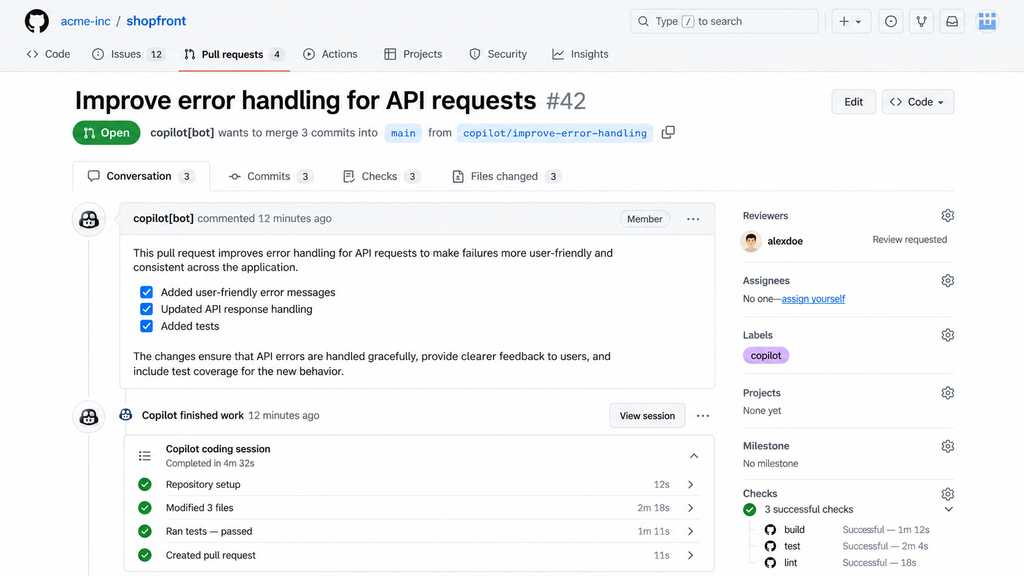
Copilot can be assigned an issue, work inside an isolated cloud environment, create a branch and open a pull request. It can also review pull requests and respond to developer feedback.
The guardrails matter. Copilot cannot merge its own cloud-agent pull request. Protected repositories can require approval from another reviewer before the changes reach the main branch.
It can stage changes, create commits, manage branches and open pull requests. Claude Code GitHub Actions also lets teams mention @claude in an issue or pull request and ask it to investigate or implement a change.
That is proper GitHub integration, but it takes more setup. Copilot feels native because GitHub is the product around it. Claude Code feels like a powerful agent connected to GitHub.
Claude Code supports allow, ask and deny rules for files and commands. Hooks can inspect an action before it runs, block it, request approval or trigger another check.
Local sessions operate on your machine. Anthropic-hosted cloud sessions clone the repository into an isolated virtual machine, while supported enterprise setups can route work through controlled infrastructure.
This suits developers who want to decide exactly what an agent may read, run and change.
For organizations with self-hosted or air-gapped deployment requirements, our Tabnine review covers deployment control and the associated capability and cost trade-offs.
Copilot’s cloud agent works inside an ephemeral, firewalled environment. GitHub rulesets, protected branches, required reviews and organization policies continue to control what reaches production.
Claude Code provides deeper control over agent behaviour. Copilot fits more naturally into governance a team already manages through GitHub.
| Plan | Price |
| Pro | $20/month or $200/year |
| Max 5x | $100/month |
| Max 20x | $200/month |
| Team Standard | $25/user monthly or $20 annually |
| Team Premium | $125/user monthly or $100 annually |
| Enterprise | Custom |
Claude Code and normal Claude usage draw from the same allowance. Paid plans have a limit that resets every five hours and a separate weekly limit. Heavy users can enable usage credits and continue at API rates after using the included allowance.
| Plan | Price | Monthly AI Credits |
| Free | $0 | Limited allowance |
| Pro | $10 | 1,500 |
| Pro+ | $39 | 7,000 |
| Max | $100 | 20,000 |
| Business | $19/user | 1,900 |
| Enterprise | $39/user | 3,900 |
Chat, CLI, code review and agent work consume AI credits. Longer tasks and expensive models use more. Additional credits cost $0.01 each when paid usage is enabled.
For light use, Copilot is clearly cheaper. The harder comparison is heavy agent work: Claude limits are shared across time windows, while Copilot meters agent activity through credits. Neither headline price guarantees unlimited autonomous coding.
| Your Main Use | Our Pick | Why |
| Predictive autocomplete | Copilot | Claude Code does not offer it |
| Small edits while coding | Copilot | Faster in-editor workflow |
| Complex multi-file work | Claude Code | Better delegation controls |
| Terminal-first development | Claude Code | Still its strongest interface |
| Broad model choice | Copilot | Supports several providers |
| GitHub issue-to-PR tasks | Copilot | More native workflow |
| Custom permissions and hooks | Claude Code | More control over agent actions |
| Lowest paid price | Copilot | Pro starts at $10 |
| Occasional help | Copilot Free | No subscription required |
If your work is mostly active coding, start with Copilot. If you increasingly describe outcomes and review completed changes, Claude Code is the better fit.
Teams already working in Google Cloud can also check our Gemini Code Assist review for its project context and enterprise repository customization.
If your goal is a quick app prototype without setting up a local environment, our Replit Agent review covers the browser-based approach, including billing and reliability limits as projects grow.
Our Claude Code vs Cursor and Cursor vs Copilot comparisons cover the other major workflow choices. You can also compare the wider market in our Best AI Coding Tools guide.
Yes. Copilot agent mode can edit several files, run commands and correct errors inside the IDE. Copilot CLI brings this workflow to the terminal, while its cloud agent can work from a GitHub issue and return a pull request for review.
Yes. Copilot supports selected Claude models alongside models from OpenAI, Google, xAI and Microsoft. Availability varies by plan and product surface. Using Claude through Copilot gives you Claude’s model inside GitHub’s agent system, not the complete Claude Code workflow.
Use both if Copilot’s autocomplete saves time throughout the day and Claude Code regularly completes larger tasks that would otherwise take hours. Do not subscribe to both because it sounds like the “professional” setup. Start with the tool that matches most of your work and add the other only when a clear gap appears.
Compare both tools on AI Suggestions to see their current features, pricing, scores and complete reviews side by side. The better purchase is the one that matches how you actually code, not the agent with the loudest benchmark result.