

Research gets risky when an AI answer looks convincing but the source beside it says something different. That is the real problem behind Perplexity vs ChatGPT. Perplexity puts citations front and centre, while ChatGPT offers a wider set of tools for writing, analysis, coding, and file work.
But more links do not automatically mean better research, and more features do not guarantee a better answer. So, is Perplexity better than ChatGPT, or does it simply make its research easier to inspect?
In this Perplexity AI vs. ChatGPT comparison, we will examine citation quality, current information, writing, coding, files, multimodal features, and pricing.
Is Perplexity better than ChatGPT? For finding current information and checking sources quickly, yes. Perplexity keeps web search at the centre of the experience and makes its citations easier to inspect. ChatGPT is the better overall assistant. It can research the web, but it is also stronger for writing, coding, data analysis, image work, and tasks that continue long after the search is finished.
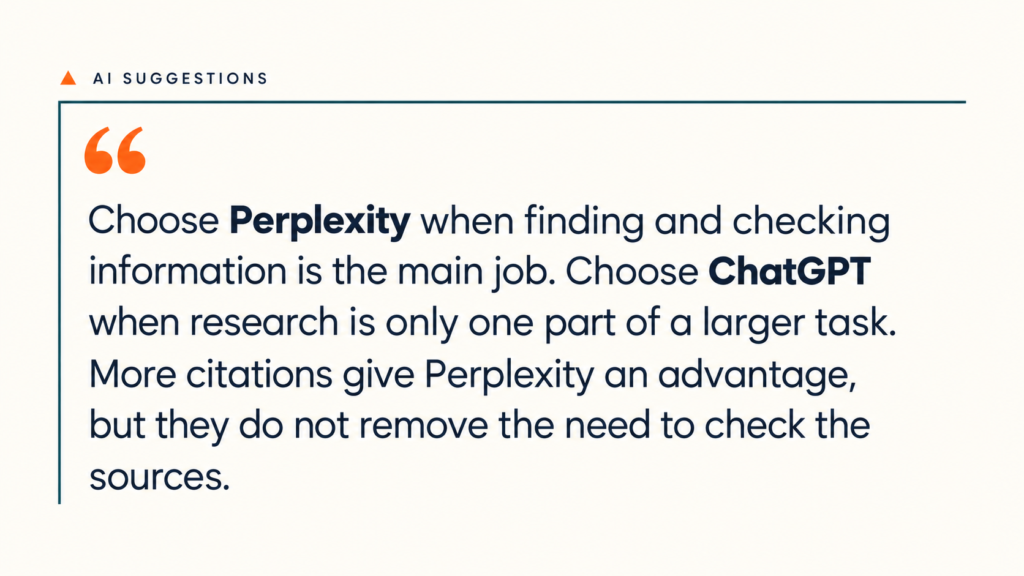
The biggest difference is not which tool can search the web- both can. It is what each tool is designed to help you do with the information it finds.
| Area | Better choice | Why |
| Quick web research | Perplexity | Search is the main product, so sources are visible and easy to open. |
| Citation checking | Perplexity | Citations appear throughout the answer instead of feeling like an added step. |
| Deep research | It depends | Both offer research controls. Perplexity emphasizes source categories and research Spaces; ChatGPT lets us combine selected websites, uploaded files, and connected apps. |
| Writing and editing | ChatGPT | It is better suited to drafting, revising and developing work over several prompts. |
| Coding | ChatGPT | Its coding tools are built for more than producing a short code sample. |
| Data analysis | ChatGPT | It can run code, inspect spreadsheets and create charts inside the conversation. |
| Projects involving research and production | ChatGPT | Perplexity Spaces support recurring research; ChatGPT offers more ways to turn that research into code, analysis, and finished files. |
| Model choice | Perplexity | Paid users can search with models from several AI companies instead of staying inside one model family. |
| Images and voice | ChatGPT | Its image editing, visual analysis and voice features are more developed. |
| Source-first experience | Perplexity | The answer is organised around information found on the web. |
| General everyday use | ChatGPT | It covers more types of work without requiring another assistant. |
DeepResearch Bench tested research agents on 100 expert-written tasks across 22 fields. Perplexity Deep Research achieved 90.24% citation accuracy, compared with 77.96% for OpenAI Deep Research. This result applies to the research agents and tasks evaluated in that benchmark. Our Perplexity review also discusses citation errors found in separate testing, so it should not be read as a general accuracy guarantee.
ChatGPT produced the stronger complete reports. OpenAI Deep Research scored 46.98, while Perplexity scored 42.25 for coverage, depth, instruction-following and readability. The full research paper explains the testing method.
A separate Washington Post test used 30 difficult questions judged by three librarians. ChatGPT 5 beat Perplexity for finding sources, scoring 6 against 2.33 out of 10. Perplexity did better on image questions, scoring 6.11 against 3.92.
The test used free versions in 2025, so it is not a final 2026 verdict. It does show that displaying more citations does not guarantee better research.
Perplexity makes evidence easier to inspect by placing links beside its claims. However, its Government, Academic and Trusted labels rate the website—not the individual page. We still need to open each important source.
ChatGPT gives us more options once the research is complete. It can combine websites with uploaded files, analyse spreadsheets, create charts and continue the work inside Canvas or a project.
That is the real difference in ChatGPT vs Perplexity: Perplexity makes the evidence easier to see, while ChatGPT provides more ways to use it.
Perplexity makes research easier to scan because its links sit beside the claims. ChatGPT takes a more report-like approach, connecting the evidence and explaining why it matters.
A same-prompt test asked both tools to research sodium-ion batteries for grid storage. Perplexity found more scientific developments and displayed its sources clearly. ChatGPT produced the more useful business analysis by connecting the technology to operating projects, supply agreements, and commercial risk.
Perplexity gives better citations when “better” means easier to find, open and match to nearby claims. ChatGPT can also produce sourced reports, but citations are less central to its normal chat experience. Neither tool proves that a source is independent, current or strong enough to support the full claim. Important links still need to be opened and checked.
Perplexity is better for finding sources and mapping a topic quickly. ChatGPT is better when we need to compare conflicting evidence or combine web research with uploaded files.
Perplexity can write useful content, especially when the draft needs current facts and visible sources. Its weakness is voice. The result can read like a polished search summary rather than something written for a specific audience.
In another test, both tools wrote a 300-word SaaS introduction for procurement directors. Perplexity created the stronger hook and clearer ROI message. ChatGPT produced a calmer, more educational draft. That result came from one short writing task. Our review still recommends Perplexity for gathering facts before drafting, rather than for distinctive writing or creative ideas.
ChatGPT pulls ahead during revision. It is easier to change the angle, simplify awkward sections and keep the same voice across several edits. Canvas also provides a dedicated space for drafting and inline editing.
Perplexity can now export documents, presentations, and spreadsheets, but it still works best for source-led content. Between these two, we would choose ChatGPT for drafting and revision. Teams needing strict brand-voice control and high-volume production may still need a dedicated content workflow.
ChatGPT has the stronger coding setup. Codex can inspect repositories, edit files, run commands and check its work rather than simply returning a block of code. ChatGPT can also execute Python, calculate spreadsheet results and create charts inside the conversation. For a closer look at repository work, read our Codex review.
In a same-prompt coding test, ChatGPT created a product-revenue function with strict validation and clear error messages. During a separate CSV test, it calculated the requested metrics and produced a chart.
Perplexity is useful for finding documentation, comparing technical approaches and explaining code with supporting sources. Its Advanced Deep Research mode also includes an improved code sandbox for calculations and data analysis.
However, it is not as complete as Codex for repository work. In the coding test above, Perplexity silently skipped invalid records. In the CSV test, it misread the file structure and explained how to perform the analysis instead of completing it.
Search is Perplexity’s main job. It breaks a query into parts, checks several pages and places links beside the answer. This makes it useful for product updates, technical documentation and news that is still developing.
In a web-search test, Perplexity gave the stronger account of AWS re announcements. It separated individual launches, named specific features and supported the details with citations.
ChatGPT Search works better when we want a direct answer without leaving the conversation. Deep Research handles larger questions by building a research plan and examining several sources over a longer run.
In the AWS test, ChatGPT covered fewer individual announcements but explained the wider business direction more clearly. Perplexity was better for tracking exactly what launched. ChatGPT was better for understanding what the announcements meant together.
Perplexity accepts PDFs, spreadsheets, code, images, audio and video. Audio and video uploads are transcribed so their spoken content can be searched and used in an answer. Its file-upload guide confirms support for these formats.
This works well when the main task is finding information inside a file and connecting it to web sources.
ChatGPT can compare documents, inspect spreadsheets, interpret screenshots and apply instructions from one file to another. Its file tools can also run calculations and turn structured data into charts.
In a visual-analysis test, both tools correctly read a robotics infographic. Perplexity described the visible patterns, while ChatGPT explained the technical limits and what the chart meant for product decisions.
For finding facts inside mixed files, Perplexity works well. For turning those files into deeper analysis or a finished project, ChatGPT is the stronger choice in Perplexity vs ChatGPT.
The standard personal plans cost the same, but Perplexity sells more research access while ChatGPT includes a wider range of work tools.
| Plan Level | Perplexity | ChatGPT |
| Free | Standard: $0 | Free: $0 |
| Low-cost paid plan | None | Go: $8/month in the US |
| Standard paid plan | Pro: $20/month or $200/year | Plus: $20/month |
| Heavy-use plan | Max: $200/month or $2,000/year | Pro 100: $100/month |
| Higher-use plan | None | Pro 200: $200/month |
| Highest individual plan | None | Pro: 100–200/month, depending on usage allowance. |
| Team standard seat | Enterprise Pro: $40/month or $400/year | Business Standard: $25/month or $20/month annually |
| Team premium seat | Enterprise Max: $325/month or $3,250/year | Business Premium: $125/month or $100/month annually |
| Enterprise | Discounts available for some larger organisations | Custom pricing |
Perplexity Pro includes more Pro Searches, access to advanced models from different AI companies, image and video generation, higher file limits and up to 50 uploads per project. It also includes limited use of Create Files and Apps.
The catch is that Pro Search, Research and file creation have separate limits. Paying $20 does not give you unlimited deep research. The available models and allowances can also change.
ChatGPT Plus includes advanced reasoning models, expanded research, more uploads, image creation, Projects, custom GPTs, Codex and ChatGPT Work. It is a broader package, particularly for coding and creating finished files.
“Unlimited text chats” does not mean unlimited deep research, image creation or Codex tasks. Each advanced tool still has its own limits.
Pay for Perplexity Pro if most of your work involves web research, source checking and following current topics. Pay for ChatGPT Plus if you regularly write, code, analyse spreadsheets or create images and files.
Both cost $20 per month, so the better subscription is the one that replaces more of your existing workflow. If image creation is your main reason for paying, compare a dedicated tool through our Midjourney review before choosing a general assistant.
Do not choose from the citation count or feature list alone. Choose based on the work you need the assistant to finish every week.
| Your Main Use | Our Pick | Why |
| Quick web searches | Perplexity | Sources are visible and easy to inspect |
| Citation-led research | Perplexity | Stronger citation accuracy in independent testing |
| News and product updates | Perplexity | Search is built into the normal experience |
| Access to several AI model families | Perplexity | Paid plans include models from multiple providers |
| Writing and editing | ChatGPT | Easier to revise tone, structure and detail over several rounds |
| Coding and repository work | ChatGPT | Codex can inspect files, make changes and check its work |
| Spreadsheet analysis | ChatGPT | Better code-backed calculations and chart creation |
| Long projects with mixed files | ChatGPT | Stronger setup for combining files, instructions and previous work |
| Image creation and editing | ChatGPT | More developed visual creation and editing workflow |
| Voice-based work | ChatGPT | Better support for files and project context during voice sessions |
| Lowest-cost paid option | ChatGPT Go | Perplexity has no individual plan below $20 |
| Occasional use | Neither | Both free plans cover basic questions and light research |
If you are unsure between Perplexity or ChatGPT, start with ChatGPT Plus. It gives you more ways to use the subscription. Choose Perplexity Pro instead when research, current information, and source checking make up most of your weekly work.
Our reviews rate ChatGPT 8.8 overall and Perplexity 8.5. Perplexity scores higher for response quality and speed, while ChatGPT’s broader features make it our overall starting recommendation.
We would not pay for both by default. Subscribe to one for a month and use it for the jobs you repeat most often. If you keep opening the other tool to finish those jobs, you have your answer.
Yes, when the main job is finding current information with visible sources. Perplexity makes citations easier to inspect and gives users access to models from several providers. ChatGPT is better for broader work involving writing, coding, spreadsheets, images, voice and longer projects. Neither tool is the better choice for every task.
Perplexity is better for finding sources, following current topics, and building a quick overview. ChatGPT is better for comparing evidence and turning research into a structured report. Use Perplexity when source discovery is the difficult part. Use ChatGPT when the job requires more explanation, analysis, or work with uploaded files.
Perplexity usually provides more visible citations, but it doesn’t always provide better sources. A cited page may be old, weak or only partly support the claim. Check whether the link is a source and whether several articles repeat the same information. Source quality matters more than the number of links.
Yes, if you mainly use AI for web research, current information, and short sourced briefings. It is less likely to replace ChatGPT for repository coding, spreadsheet analysis, image editing, voice work, or long writing projects. Perplexity can handle the research stage, but ChatGPT offers more ways to finish the work.