

Claude and ChatGPT can both write a clean email, explain code, and summarize a PDF. That is the easy part. The real difference shows up when the brief is long, the files disagree, the facts need checking, or the task takes more than one step.
For this Claude vs ChatGPT comparison, we drew on our published ChatGPT and Claude reviews, current product information, and independent benchmarks. We compare where each assistant is most useful, where its limits show up, and which subscription makes sense for different kinds of work.
ChatGPT vs Claude is not really a fair fight anymore; they are both very good. But they are good at different things, and picking the wrong one for your task means more editing, more re-checking, and more wasted time. We will show you exactly where each one wins, where each one falls apart, and what we would pick if it was our own work on the line.
Which is better, Claude or ChatGPT? The current evidence does not give us one winner for every type of work.
Claude holds a small lead in overall model benchmarks and performs better on tests that check whether an assistant follows a detailed professional brief. Its larger context window and tighter coding controls also make it the stronger choice for writing, code review, and long documents.
ChatGPT leads in web-search benchmarks and coding tests that measure full agent performance. It also has the clear advantage for image creation, voice, spreadsheet analysis, and work that crosses several connected apps.
Claude has a small lead in overall model tests; ChatGPT gives you more tools, and the coding winner changes depending on what the test asks them to do.
The latest independent numbers do not support the idea that Claude is much smarter than ChatGPT. Artificial Analysis gave Claude Fable 5 a score of 60 on its Intelligence Index. GPT-5.6 Sol scored 59.
The index combines results from several tests covering reasoning, knowledge, math, coding, and instruction following. A one-point difference means the two models performed at almost the same level across those tests. GPT-5.6 Sol also completed the tests at about one-third of Claude’s cost per task.
So, yes, Claude finished ahead. The lead is far too small to settle the full Claude vs ChatGPT debate.
These numbers measure different things, so we cannot place 80 beside 97 and call Claude the winner.
Artificial Analysis gave GPT-5.6 Sol 80 out of 100 on its Coding Agent Index. This is a combined score from three tests. They check whether an AI can work through code, use a terminal, answer questions about large repositories, and finish tasks with coding tools. The score does not mean ChatGPT fixed 80% of all coding problems. GPT-5.6 Sol earned the highest combined score among the models tested.
SWE-bench Verified is easier to read. It gives models 500 real issues taken from public GitHub projects. The model must find the problem, edit the code, and produce a fix that passes the project’s tests. Claude Opus 5 solved 97% of those issues, or about 485 out of 500. That placed it first on the Vals AI leaderboard. GPT-5.6 Sol finished close behind.
The useful answer is not that one model scored 80 and the other scored 97. ChatGPT led when tested as a full coding agent. Claude solved slightly more GitHub issues when both models received the same basic terminal tools.
ChatGPT can search the web, run deep research, analyze spreadsheets, generate images, hold voice conversations, connect to outside apps, and work through coding tasks with Codex. Its deep research tool can combine public websites, uploaded files, and connected apps in one report.
Claude can search the web, analyze files and images, write and run code, and create finished documents. Claude Pro also includes Claude-Code and Cowork. Claude-Projects can search across large collections of uploaded material without trying to fit every file into one prompt.
Claude is no longer just a writing tool. ChatGPT still covers more kinds of work.
| Area | What the Evidence Shows |
| Overall model performance | Claude leads, but only by one point in the cited test |
| Coding | ChatGPT leads one agent test; Claude leads a real GitHub issue test |
| Research and connected tools | ChatGPT has the broader setup |
| Large collections of files | Claude Projects are made for focused file search |
| Images and voice | ChatGPT offers far more |
| Simple text work | The models are close enough that the task matters more than the score |
A model benchmark is not our overall product rating. Our reviews score ChatGPT 8.6 and Claude 8.5 because the scorecard also considers features, ease of use, speed, and value.
Claude has the stronger record for following a detailed brief, while ChatGPT is better at making the finished file look polished.
Yes, when the job has a long list of rules. In the AA-Briefcase test, Claude Fable 5 followed 56% of the required checks. GPT-5.6 Sol followed 42%. Claude also scored higher for the quality of its analysis. ChatGPT’s files looked better, but Claude did more of what the brief actually asked.
AA-Briefcase is not a creative writing test. It gives models 91 work tasks across data science, product management, and business strategy. Each finished file is checked against a list of requirements. That makes the result useful for reports, articles, presentations, and other work where missing one instruction can spoil the whole piece.
Neither tool will understand a brand from a few words such as “warm, expert, and friendly.” You need to give it real writing samples, banned phrases, sentence rules, and examples of what the brand should never sound like.
Claude lets you save personalization rules and build custom skills around company guidelines. ChatGPT offers custom instructions and Projects, where you can keep writing samples and rules beside your chats.
For Claude vs ChatGPT for writing, ChatGPT produced more visually polished files in the cited benchmark. For writing that must hold a particular tone and follow a detailed brief, we would choose Claude.
The important difference is not who can write a Python function. It is how much control you get when the assistant starts reading files, running commands, and changing a real project.
Claude is the better fit when you want to inspect one change closely before it touches the code. ChatGPT’s Codex is better when you want to split a larger job across several agents and review the finished changes afterward. Both can read repositories, edit files, run commands, and test their own work.
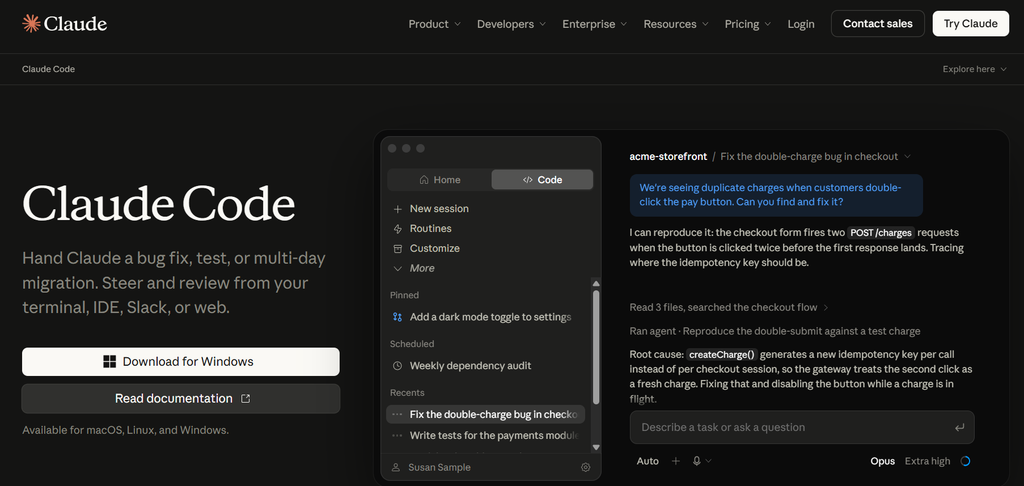
Claude Code has a Plan mode. It can read the project and explain what it wants to change, but it cannot edit anything until you approve the plan. This is useful when the code handles payments, customer data, authentication, or another area where a surprise edit could cause real damage.
It also saves a checkpoint before each prompt. If Claude changes the wrong files or takes the project in the wrong direction, you can rewind its edits without trying to undo everything by hand.
That control is a real advantage. An agent that writes code quickly is not useful if you spend the next hour finding out what it changed.
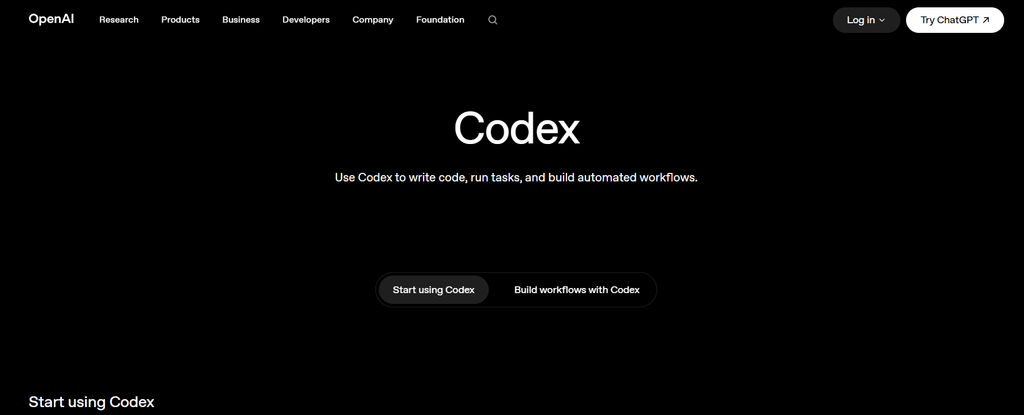
Codex is built for running several coding tasks at the same time. Separate agents can work in isolated copies of the repository, so one can fix a bug while another writes tests or checks a different part of the code. You can then review each set of changes before bringing it into the main project.
Codex also works inside VS Code, other VS Code-based editors, and the terminal. Its review tools can check a pull request, an individual commit, or changes that have not been committed yet. Codex best practices
Claude Code reads project instructions from a CLAUDE.md file. Codex uses AGENTS.md. These files tell the agent how to run tests, which coding style to follow, what it must not change, and what “finished” means.
Without those rules, either tool may make a technically valid change that does not fit the project. Claude gives us tighter control over one sensitive edit. Codex gives us the stronger setup for larger jobs running in parallel. If you mainly want suggestions inside your editor rather than an agent taking on repository-wide tasks, read our GitHub Copilot review as well.
ChatGPT is better at finding hard-to-locate information online. Claude holds a narrow lead when the answer has to come from reasoning rather than search.
BrowseComp tests whether an AI can search the web for facts that are deliberately difficult to find. GPT-5.6 Sol answered 92.2% of those questions correctly. OpenAI reported this as the highest score on the test at launch.
That score does not mean 92.2% of every ChatGPT research report is correct. It means GPT-5.6 Sol was very good at following search trails and finding obscure facts in this one controlled test.
ChatGPT’s deep research tool can also combine public websites, uploaded files, and connected apps in one report. You can limit the search to selected websites and review the sources it plans to use.
Artificial Analysis gives Claude Fable 5 a score of 60 on its wider Intelligence Index, compared with 59 for GPT-5.6 Sol. Claude Fable 5 also leads Humanity’s Last Exam with 55.5%. That test uses 2,500 difficult questions written by experts across science, math, and the humanities.
The lead is real, but it is small. For research that depends on finding and checking online sources, we would choose ChatGPT. For difficult analysis based on information already provided, Claude has the better evidence behind it. Neither should be trusted without checking the important claims yourself. If your main need is searching for sources and getting cited answers, our Perplexity review covers a more focused research option.
A large upload limit does not mean the assistant can keep every detail in mind at once. The context window is what decides how much information the model can actively consider while answering.
Claude is the stronger choice. Claude Opus 5 and Sonnet 5 support a one-million-token context window on paid plans. That is enough room for roughly 2,500 pages of text, although tables, images, formatting, and the conversation itself also use some of that space.
ChatGPT accepts files as large as 512 MB, with a limit of two million tokens for a text document. That is an upload limit, not a promise that the model will study all two million tokens in one pass.
When a Claude Project becomes too large for the context window, Claude switches to search. It finds the sections it thinks are relevant and sends those parts to the model. This lets a paid project hold up to ten times more material, but Claude can still miss something if its search fails to pull the right passage.
The same basic risk applies whenever an assistant searches a large file collection. A confident answer does not prove that every document was checked.
For a 400-page report, contract bundle, or policy manual, we would choose Claude. For a spreadsheet that needs cleaning, calculations, and charts, ChatGPT’s data analysis tools are the better fit.
“Multimodal” simply means the assistant can work with more than typed text. Claude has caught up in some areas, but the two products still do very different visual work.
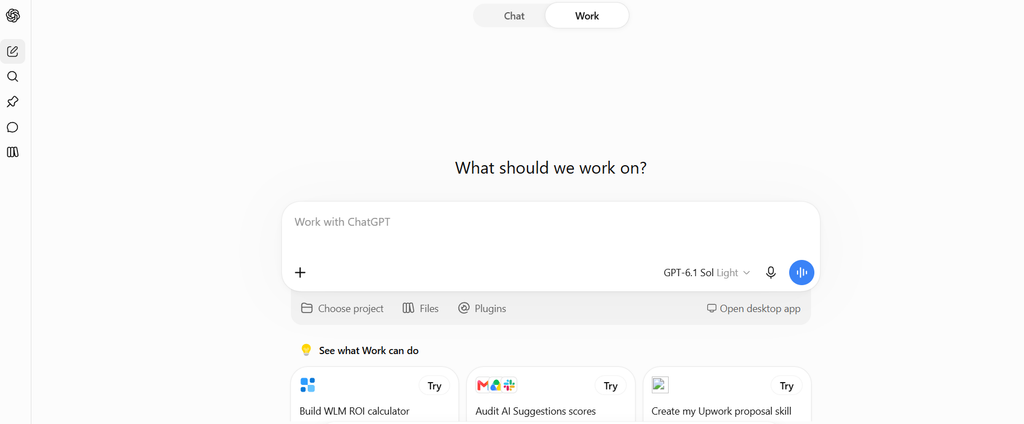
ChatGPT can create a new image from a prompt or edit an image you upload. You can ask it to remove an object, add text, change the background, create a transparent cutout, or regenerate the image in another shape. The editor is not perfectly precise, and changes can spread beyond the selected area.
Claude can inspect photos, screenshots, diagrams, and charts. It can also build charts, diagrams, and interactive visuals with HTML or SVG. It cannot generate a photograph or illustration.
That makes the choice easy. Use Claude to understand a visual. Use ChatGPT when you need to create or edit one. If image creation is the main reason you are paying for AI, see our Midjourney review before choosing an all-purpose assistant.
Claude Voice is available on free and paid plans across mobile, desktop, and the web. Voice conversations use the same allowance as normal Claude chats, so a long spoken session can eat into your usage limit.
ChatGPT Voice can work with uploaded files and Projects. You can open a project, speak your question, and ask about its files without returning to the keyboard. Some tools still stop working inside certain voice sessions, including image generation, data analysis, and custom actions.
Claude is good enough for spoken questions and hands-free conversation. ChatGPT remains more useful when the voice chat needs access to an ongoing project.
Both assistants can connect to the tools people already use for email, files, calendars, projects, code, and customer management. The exact actions available depend on the integration, subscription, country, and permissions set by your workspace administrator.
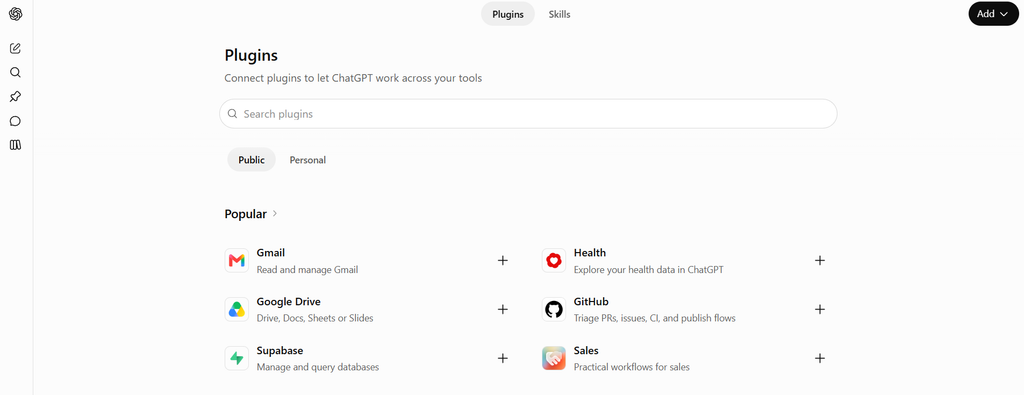
OpenAI calls its integrations “apps.” Some apps only search and read information. Others can create or change something in the connected service.
| Integration | What ChatGPT Can Use It For |
| Google Drive | Search files and use Docs, Sheets, and Slides as source material |
| Gmail | Search emails, summarize threads, and prepare drafts |
| Google Calendar | Check schedules and create supported calendar events |
| Microsoft OneDrive | Find and use files stored in Microsoft 365 |
| Microsoft SharePoint | Search company sites, documents, and internal knowledge |
| Microsoft Outlook | Search email, prepare drafts, and work with calendar information |
| Microsoft Teams | Search chats, channels, and meeting information |
| Slack | Search messages and channels; supported Business accounts can also create reminders, upload files, and perform other actions |
| Dropbox | Find, read, and analyze stored files |
| Box | Search and use company documents |
| GitHub | Read repositories, inspect code, summarize pull requests, and answer questions about a codebase |
| Linear | Find issues, review project progress, and use ticket information |
| HubSpot | Analyze CRM, campaign, deal, and customer information |
| Notion | Search pages and use workspace content, where available |
ChatGPT can also use custom apps built with the Model Context Protocol, or MCP. This lets a company connect its own software or database instead of waiting for OpenAI to add a public integration.
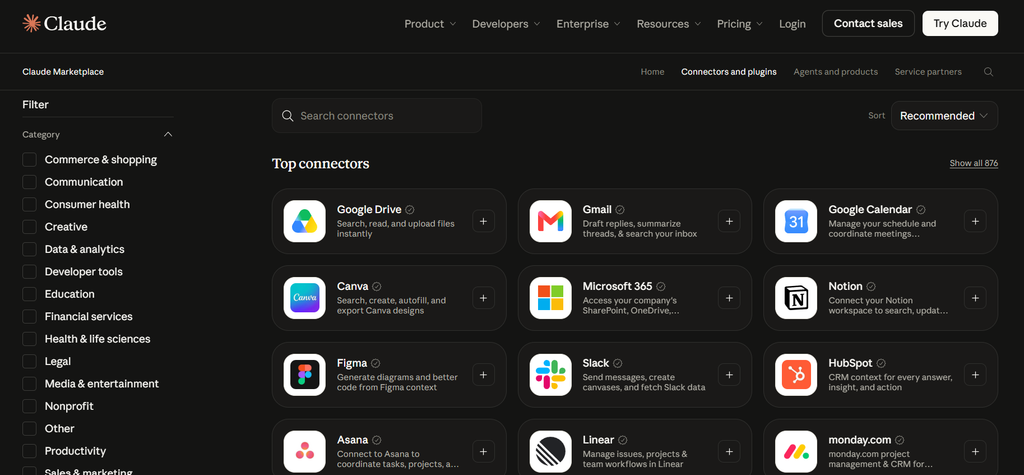
Anthropic calls these connections “connectors.” Claude supports pre-built connectors, community connectors, desktop extensions, and custom MCP connections.
| Integration | What Claude Can Use It For |
| Google Drive | Search documents, use files as context, and save supported files |
| Gmail | Search email, summarize conversations, draft replies, and send messages when write access is allowed |
| Google Calendar | Check availability and create or manage events |
| Microsoft OneDrive | Search and work with Microsoft 365 files |
| Microsoft SharePoint | Find documents and information across company sites |
| Microsoft Outlook | Search email and calendars; write actions can be enabled by an administrator |
| Microsoft Teams | Search team conversations and meeting information |
| Slack | Search threads, summarize discussions, and send messages when permitted |
| GitHub | Work with repositories, issues, pull requests, branches, and code |
| Linear | Read, create, and update issues and projects |
| HubSpot | Search and work with CRM information |
| Notion | Read and update pages and databases, depending on granted access |
| Asana | Work with tasks, projects, and team updates |
| Miro | Use information stored in boards and collaborative workspaces |
| Smartsheet | Read and work with sheets, projects, and operational data |
| Box | Search and analyze stored company files |
| Databricks | Work with approved company data and analytics resources |
| Canva | Use connected design content and supported creative workflows |
| 1Password | Access approved credentials and developer secrets through controlled workflows |
These connections do not make Claude a dedicated team content platform. Our review recommends it chiefly for individual writing, analysis, and technical work; teams producing large volumes of campaign copy may need more structured shared workflows.
There is no useful winner based on the number of integrations alone. Both cover the main workplace tools. Claude has a large connector directory and works well with MCP-based services. ChatGPT has a strong set of built-in apps and can use information from several connected sources during deep research.
Before choosing, check the exact action you need. “Connects to Gmail” could mean searching messages, drafting a reply, or actually sending it. Those are three different levels of access, and they may not all be available on your plan.
The main personal plans cost the same, but the model access and usage rules are not the same.
| Plan Level | Claude | ChatGPT |
| Free | $0 | $0 |
| Low-cost paid plan | None | Go: $8/month |
| Standard paid plan | Pro: $20/month or $200/year | Plus: $20/month |
| Heavy-use plan | Max 5x: $100/month | Pro 5x: $100/month |
| Highest individual plan | Max 20x: $200/month | Pro 20x: $200/month |
| Team standard seat | $25/month or $20/month annually | $25/month or $20/month annually |
| Team premium seat | $125/month or $100/month annually | $125/month or $100/month annually |
| Enterprise | From $20 per seat, plus usage charges | Custom pricing |
Claude Pro includes more usage, Research, unlimited Projects, Claude Code, Cowork, Design, and access to more models. However, Claude Fable 5 is not included in the normal Pro allowance. Pro users must pay for Fable 5 through separate usage credits. Claude Code and normal Claude chats also draw from the same usage pool.
ChatGPT Plus includes GPT-5.6 reasoning, expanded research, more uploads, image creation, Projects, scheduled tasks, Codex, and ChatGPT Work. The plan still has limits for advanced models and tools. “Unlimited text chats” does not mean unlimited deep research, images, or Codex tasks.
ChatGPT also has the cheaper Go plan. It gives you more uploads, images, voice use, and memory than the free plan, but it does not include the full reasoning and research access found in Plus. Go may also show ads.
Pay for Claude Pro if most of your work involves writing, editing, long documents, or careful code changes. Pay for ChatGPT Plus if you regularly use research, spreadsheets, images, voice, or connected apps. If you only ask short questions or use AI a few times each week, keep the free plans until a limit starts getting in your way.
Do not choose from a benchmark score alone. Choose based on the work you expect the assistant to finish every week.
| Your Main Use | Our Pick | Why |
| Writing and editing | Claude | Better record for following detailed requirements |
| Long reports and document sets | Claude | Larger active context on current paid models |
| Reviewing sensitive code changes | Claude | Plan mode and checkpoints give you tighter control |
| Web research | ChatGPT | Stronger search results and a more developed research workflow |
| Spreadsheet and data work | ChatGPT | Better built-in analysis and chart tools |
| Creating or editing images | ChatGPT | Claude can analyze images and create diagrams or visual layouts through code and document tools. It does not offer the built-in photographic image generation and editing that makes ChatGPT useful for creative assets. |
| Voice-based work | ChatGPT | Better use of files and project context during voice sessions |
| Several connected work apps | ChatGPT | Stronger setup for jobs that cross different services |
| Lowest-cost paid option | ChatGPT Go | Claude has no plan below $20 |
| Occasional use | Neither | Both free plans are enough for basic work |
If your work sits between both sides, start with ChatGPT Plus. It gives you more ways to use the subscription. Choose Claude instead when you already know that most of your time will be spent inside drafts, repositories, and long source files. If you work mainly in Google’s apps, our Gemini review gives you a third option to weigh.
We would not pay for both by default. Subscribe to one for a month and use it on the jobs you repeat most often. If you keep opening the other tool to finish those jobs, you have your answer.
Claude is better for writing from a strict brief, reviewing code carefully, and working with long source material. ChatGPT is better for web research, data analysis, images, voice, and work involving several connected tools. Neither is better at every task, so the right answer depends on what you need it to finish.
Claude is the better fit for controlled code changes. Plan mode lets you inspect its approach before it edits files, and checkpoints make unwanted changes easier to reverse. ChatGPT’s Codex is stronger when you want several agents working on separate coding tasks at the same time.
Claude has the stronger evidence for following a long list of instructions. That matters for brand voice, SEO rules, reports, and client work. ChatGPT can produce polished copy, but it is more likely to need firm instructions and another editing pass when the brief contains many small requirements.
Claude has the advantage for long documents. Opus 5 and Sonnet 5 support a one-million-token context window on paid plans. ChatGPT accepts larger individual uploads, but its upload limit is not the same as the amount the model can actively consider in one answer. ChatGPT remains better for spreadsheets and data analysis.
Choose Claude Pro if you spend most of your time writing, editing, coding, or reading long files. Choose ChatGPT Plus if your work includes research, data, images, voice, and outside apps. Stay on the free plans if you have not yet found a repeated task that justifies paying every month.
Compare them side by side here. Check their features, pricing, limits, scores, and full reviews in one place, then choose the assistant that fits the work you actually do.