
The difficult part of AI data security is that “secure” can mean several things. A provider may promise not to train its models on business data while still retaining conversations. A deleted chat may leave a separately saved file behind. A connected app may give an assistant access to far more information than the employee intended to share.
Uploading a sales report to an AI assistant can save an afternoon. Uploading the same report through the wrong account can also place customer names, revenue figures and internal plans under policies nobody checked.
Before approving an AI product, businesses need to examine the exact plan, settings, feature and data involved. The company name alone tells us very little.
It can be, but only through an approved business account with suitable contractual terms, retention settings and access controls. Employees should not upload confidential company data through personal AI accounts. Credentials, private keys and authentication tokens should never be entered into a chatbot.
A useful approval decision covers four points:
| What to Check | Question to Answer |
| Data | What information will the employee enter? |
| Account | Is this a personal or company-managed workspace? |
| Feature | Will the tool use memory, connected apps, agents or file storage? |
| Outcome | Will it only draft an answer, or can it take action in another system? |
A public press release carries little risk. A customer database, employment file or private codebase deserves a much stricter review.
The same assistant can handle data differently depending on the account used.
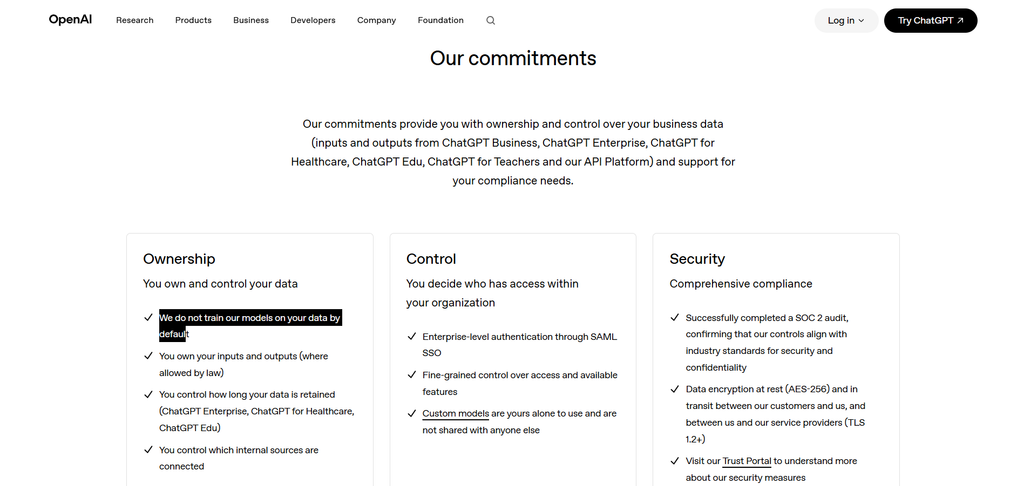
On personal ChatGPT Free, Plus and Pro workspaces, model-improvement sharing is enabled by default, although users can turn it off. ChatGPT Business, Enterprise, Edu and Healthcare content is not used for model training by default. OpenAI also gives some managed workspaces additional retention and administrative controls.
Anthropic makes a similar distinction. Claude for Work and the Anthropic API do not use inputs or outputs for training by default. Consumer Claude accounts follow different policies and settings.
Google’s consumer Gemini service may use activity to improve its services and warns users not to enter confidential information they would not want reviewed. Google Workspace provides different protections: customer data is not used to train models outside the organisation’s domain without permission.
The practical rule is simple: a paid personal subscription is not automatically a business product. A company should approve a particular plan and workspace, not merely the brand.
For a closer look at how the major assistants differ, see our ChatGPT review, Claude vs ChatGPT comparison and Gemini vs ChatGPT comparison.
Training receives most of the attention in discussions about AI privacy, but policy wording must be read carefully. Check whether the promise applies by default, whether it covers both prompts and outputs, and whether feedback or optional sharing changes the position.
OpenAI says it does not train its models on data from ChatGPT Business, Enterprise, Edu, Healthcare or its API by default. Personal workspace users can turn off “Improve the model for everyone.” Turning off training does not delete existing chats, disable memory or change every retention rule.
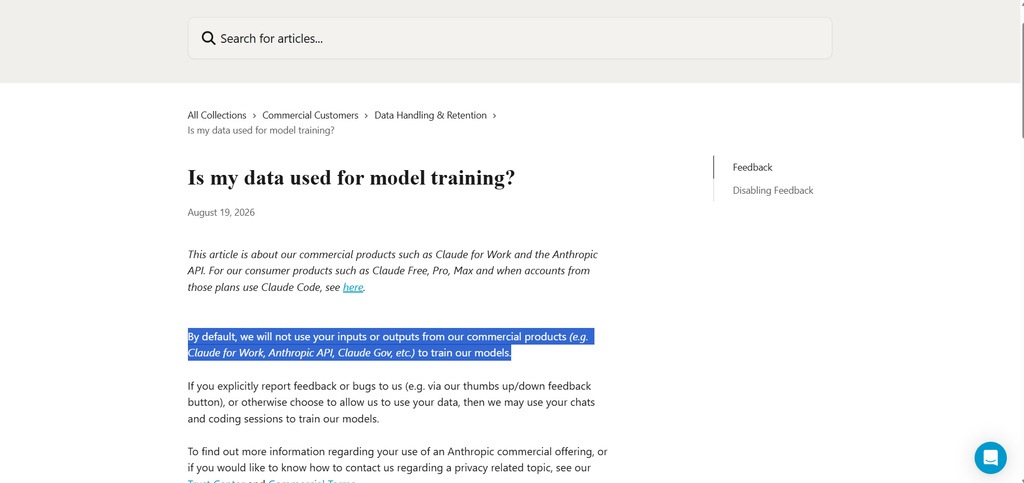
Anthropic says it does not use inputs and outputs from commercial products, including Claude for Work and its API, for training by default. However, it may use material users submit through feedback, bug reports or an explicit opt-in. Anthropic may store an entire conversation linked to commercial-product feedback for up to ten years.
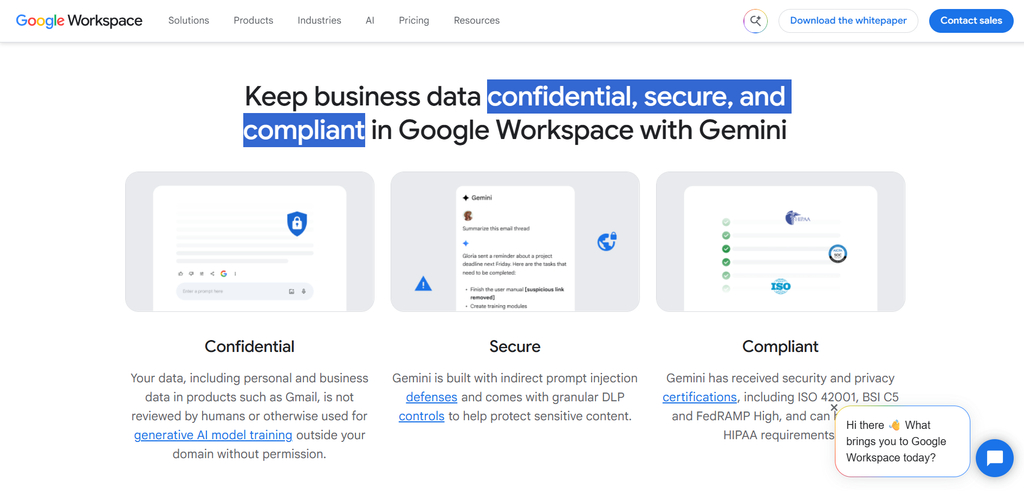
The answer depends heavily on the account. Google says Workspace customer data is not used to train its generative AI models outside the organisation’s domain without permission. Consumer Gemini has separate activity and review policies. When Keep Activity is on, some collected data may be used to improve Google’s services and models.
Microsoft also says prompts, responses and Microsoft Graph data covered by enterprise data protection are not used to train foundation models. However, agents and optional web searches can introduce additional terms and data flows.
A promise not to train on company data says nothing about how long the data remains on the provider’s systems.
Retention can apply separately to:
OpenAI keeps regular ChatGPT conversations until the user deletes them or a workspace policy removes them. Providers generally schedule deleted chats for permanent deletion within 30 days, subject to legal and security exceptions. Files saved in Library or Space are separate: deleting the conversation does not necessarily delete the saved file.
Anthropic states that it normally deletes standard API inputs and outputs from its backend within 30 days, unless another agreement, legal requirement or safety need applies. Chats in other commercial products can remain available until the user deletes them.
For Workspace accounts, Gemini conversation history is saved for 18 months by default. Administrators may change it to three, 18 or 36 months, or turn history off.
Administrators should therefore test deletion, identify where the provider stores chats, files and memories, and check whether each requires a separate removal process.
Some AI privacy concerns have little to do with model training. A provider may allow authorised staff or contractors to access limited content for support, safety, abuse investigation or legal compliance.
Google says trained service providers may review some consumer Gemini conversations. Google may retain reviewed conversations for up to three years, even after users delete the related activity. Workspace follows different commitments: Google says human reviewers do not review submissions without permission.
Feedback buttons deserve attention as well. Submitting a poor response for review may attach the prompt, answer, uploaded material or surrounding conversation. Employees should not send feedback on a confidential exchange unless the company has confirmed how the provider handles it.
Businesses should distinguish among three types of access:
Each has a different purpose and should be governed separately.
Business-grade generative AI data security requires more than encryption.
Useful controls include:
OpenAI lists SAML SSO, feature controls and configurable retention among its enterprise capabilities. Google Workspace applies existing permissions and can restrict Gemini’s access to Gmail, Drive and other Workspace data. Microsoft Copilot can inherit Microsoft 365 permissions, sensitivity labels, retention policies and audit controls, although availability depends on the subscription.
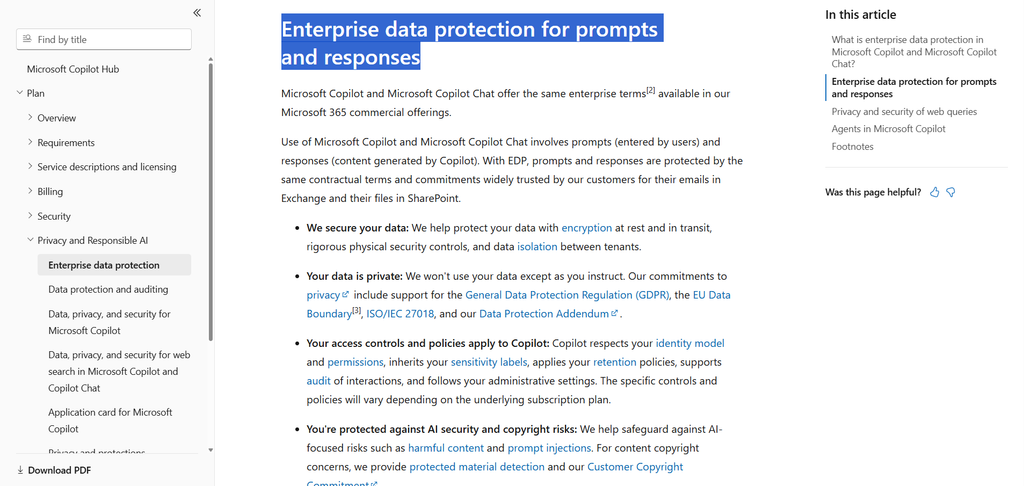
Security certifications can support due diligence, but they do not approve every use. Buyers should check which product, region and service the certification covers.
An uploaded file is only one route into an AI system.
A connector may let an assistant search email, cloud storage, calendars or customer records. Memory may preserve facts for future conversations. An agent may go further by sending a message, editing a file, updating a database or running code.
The key question becomes: what can the system reach using this employee’s permissions?
Google says Gemini can only access Workspace material available to the user, and administrators can restrict that access. This is useful, but it also means an employee with broad Drive permissions may expose a broad set of files to the assistant.
Microsoft advises organisations to check the terms and privacy statement of individual Copilot agents. OpenAI also allows managed workspaces to control connected internal sources.
Our guide to agentic AI and generative AI explains why permission design becomes more important once an assistant can act. Businesses evaluating development agents should also examine our Claude Code review, where repository permissions, commands and connected tools are central concerns.
Different information requires different rules.
| Data Type | Suggested Treatment |
| Public marketing copy | Usually suitable for approved tools |
| Ordinary internal documents | Review contents and remove unnecessary details |
| Customer or employee records | Use only under an approved business process |
| Contracts and financial reports | Restrict access and redact where possible |
| Confidential source code | Use an approved development workspace with limited permissions |
| Health, payment or government ID data | Escalate to privacy, security or legal specialists |
| Passwords, API keys and private keys | Never upload |
Data minimisation remains one of the strongest controls. An assistant does not need an entire customer file to rewrite one paragraph. A developer asking about an error usually does not need to expose the production credentials stored beside the code.
Replace real names with labels, remove unused columns and share only the relevant extract. Less data entering the system means less data available to retain, expose or misuse.
A vendor should be able to answer these questions clearly and in writing. The expected answer will depend on the data and use case, but vague language should hold up the approval.
| Question to Ask | What a Satisfactory Answer Should Cover |
|---|---|
| Will our data train your models? | Training defaults, plan protections and exceptions for feedback or optional sharing. |
| How long do you retain our data? | Separate retention periods for chats, files, memories, feedback, safety records and backups. |
| What happens when a conversation is deleted? | Deletion timelines, backup retention and whether other saved data requires separate deletion. |
| Can staff or contractors view our content? | Permitted reasons for access and how it is approved, logged and restricted. |
| Which companies process our data? | Subprocessors, their roles, processing locations and change notifications. |
| Question to Ask | What a Satisfactory Answer Should Cover |
|---|---|
| What can administrators control? | Account, retention, sharing, app and feature controls available on the chosen plan. |
| What can connected apps access? | Connector permissions, access limits and data handling after disconnection. |
| Can the AI act in other systems? | Approval steps, permission limits, activity logs and options to reverse actions. |
| Question to Ask | What a Satisfactory Answer Should Cover |
|---|---|
| How quickly can we remove user access? | Central account deactivation and automated access management for larger teams. |
| What happens when the contract ends? | Data exports, deletion requests and retention in backups or compliance logs. |
Pause an approval when:
Before launch, confirm that:
A company may then approve the tool, approve it with restrictions, run a pilot using synthetic data, or reject the proposed use.
Teams still choosing products can browse AI Suggestions’ business administration tools and wider AI tool categories. Product quality matters, but the account configuration and internal rules determine whether a useful assistant becomes an unnecessary risk.
Check whether the exact plan uses data for training, how long it retains chats and files, who can access the content and which administrative controls are available. Review connected apps, memory and agent permissions separately. The assessment should cover a defined use case and data type rather than approving an entire brand for unrestricted use.
No. Turning off training stops one potential use of the data. The provider may still retain it to deliver the service, investigate abuse, provide support or meet legal obligations. Connected apps, workspace administrators and saved files may also create separate access and retention paths.
Employees should not place confidential company information in personal accounts unless the business has expressly approved that setup. Personal plans often have different training defaults, retention rules and administrative controls. A company may also lose access to the records when the employee leaves.
Only when the company has approved the product, plan, repository and permissions. Remove secrets before use, limit filesystem and network access, require reviewable changes and keep version control and tests in place. An agent that can edit files or run commands presents a larger risk than a chatbot that only explains a code sample.
Review the service when its privacy terms, plan structure, connectors, memory features or agent permissions change. Reassess it when the company introduces a new type of data or use case. A tool approved for public marketing drafts is not automatically approved for customer records or production code.